Showing posts with label Tool. Show all posts

Sunday, March 6, 2016

Diagnostic tool - Trepn Profiler


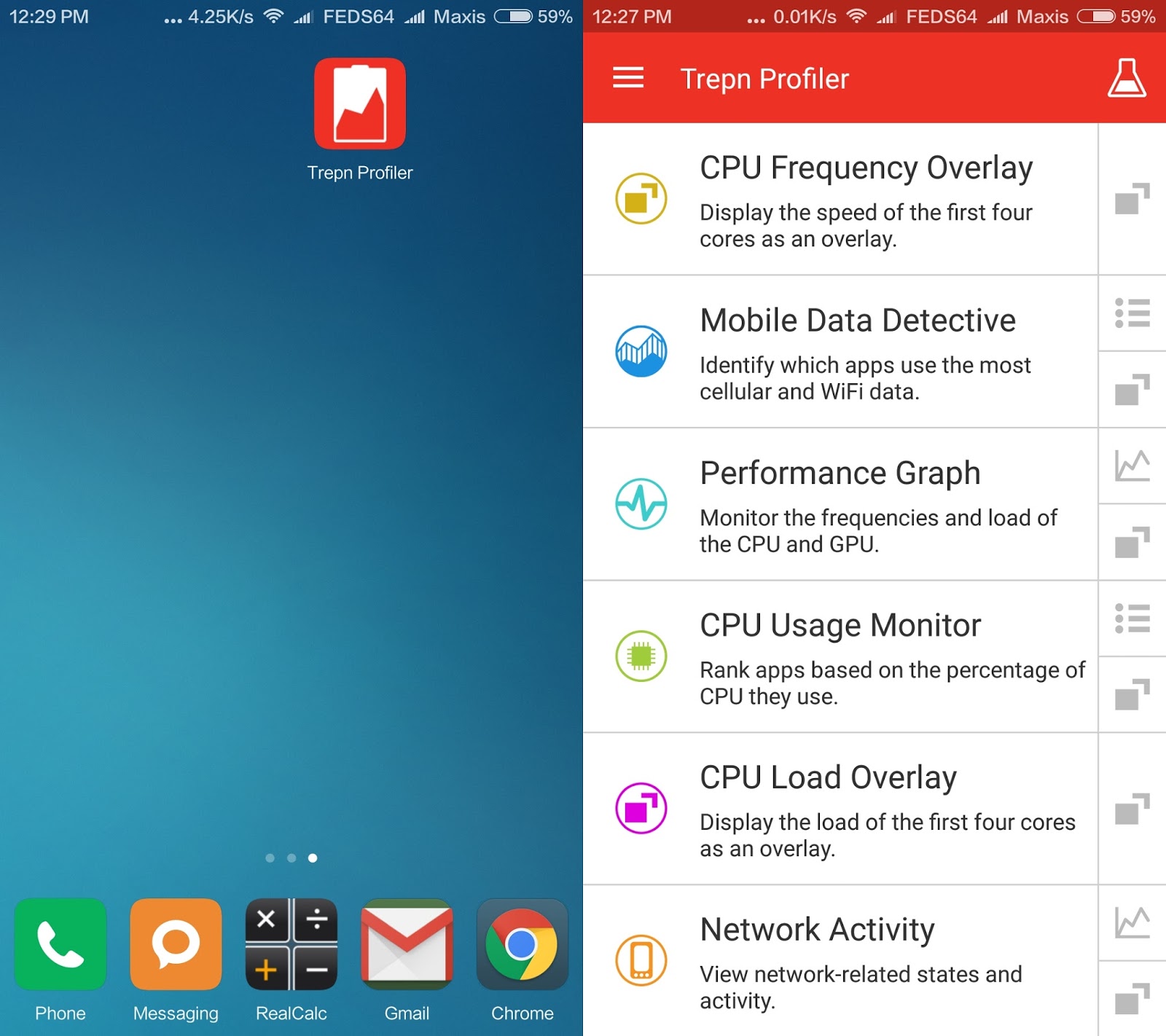
The Trepn Profiler is a diagnostic tool designed to measure and profile the power consumption of Android applications on mobile devices.The Trepn Profiler lets you track power, CPU, memory, and network usage to better understand and optimize application power performance. 

It is designed to help you identify apps that hog your CPU, consume excess data or drain your battery. Although Trepn Profiler runs on most Android devices, additional features are available when used with devices featuring Qualcomm® Snapdragon™ processors, a product of Qualcomm Technologies,Inc.

Just click on the Trepn Profiler Icon to download the apk file directly to your device.


Key Features
  • Six fast-loading profiling presets
  • Runs on devices with Snapdragon, Exynos, MediaTek and other processors
  • Real-time view of individual CPU cores
  • View network usage (cellular and Wi-Fi)
  • Overlays appear on top of applications being profiled
  • Monitor GPU frequency and load
  • Advanced mode to manually select data points and save data for later analysis
  • No ads, analytics or data collection
  • Displays device power consumption in mW

Advanced Mode Features
  • Profile your device or a single app
  • Choose from up to 33 different data points
  • Offline data analysis – Save profiling data so you can analyze it at a later time
  • Displays absolute or delta battery power measurements in mW or mA
  • View processor and battery temperature
  • View profiling data four different ways
  • Display two data points in a single overlay
  • Save settings, data points and overlays for quick access
  • Change the data collection interval to reduce load and allow longer profiling sessions

Special Features for Developers
  • Android Intents - Trepn Profiler can display markers from your code alongside other data points to pinpoint the cause of power and processor spikes
  • External control - You can start or stop profiling from an external script or another Android application, a big advantage in automated testing environments


Helpful Links

SOURCE:

Monday, January 11, 2016

Latest Unlock millet phone / Mi Flash Unlock Tool

Lately, it seem the new owners of Redmi Note 3 are getting lost and eventually frustrated without a proper guidance to how to unlock their bootloader. Hopefully, this guide will make the situation more transparent and give a better understanding on how to go about doing it.

NOTICE: This works for both Stable and Developer ROM.

First, register a Mi Account on your device or using your PC / Lappie, I would recommend, that you register using your phone number which will be quicker, but you could also register by email. As shown below:-


Next, download the Millet Tool or Mi Flash Unlock Tool and launch it accordingly.

One of these situations may happen:-

SCENARIO 1. Either you are accepted on your first trial run, and able to complete the progress of unlocking or;

SCENARIO 2. You just need to make an application and wait for a confirmation / permission to unlock via SMS.

You will encounter, as shown on the illustrations below:-


While validating your account for unlock support, you might encounter as shown below, but be sure to retry once or twice (the validity server might be congested):-


You will then see one of two screens to decide, whether you are going forward with the unlocking of the bootloader or to make an application for permission to Unlock the Bootloader, as the following:-

SCENARIO 1. When you see the following screen, you can go ahead to unlock the bootloader. As shown below:-


For Unlocking the bootloader, go to this thread:-


SCENARIO 2. Should you see the following screen, don’t be alarm or discouraged but to positively, click “Go” and follow the instructions and fill out the necessary application, as shown below:-


To apply use this link: To Apply for Unlocking Permission


In the following illustration, you have to READ CAREFULLY, the Unlocking Risk on the right side of the page, before embarking to accept the “Millet Phone Unlock Agreement” which may result in your warranty to be "Null & Void”, make a wise decision. Here, you need to fill your name in the first column box, followed with your phone number / email, and finally you have to “State the reason of unlocking” in the big column box, I recommend you to copas (copy & paste) the following Chinese character to avoid any rejections,
我明白解锁的设置 它给我的介绍是 重新设置我的原本语言 谢谢

(which means, “I understand the risk of unlock bootloader. It is required for me to flash custom recovery for my native language. Thank you.”), as shown below:-


In the following screen, is an example of my OTP SMS, which you will receive almost immediately, after “Accepting the Agreement” on the previous screen, and follow thru, as shown below:-


Key-in the OTP code from the SMS, and hit enter, as shown below:-


You will get the following imagery, which informs you that your application is successfully done and you need to wait for a week or so, and if you do not get any notification, file in a Complaint accordingly, as follows:-


FOLLOW-UP: Normally the waiting period is within 2 weeks.

Should you be waiting longer than the stipulated waiting period, please make a Complaint with the Service support accordingly, as shown below:-

For those who have waited more than 12 days, please reply to the following thread with your Xiaomi account number:-
http://en.miui.com/thread-202290-1-1.html

If you have received SMS to unlock but the bootloader is still having problems to unlock due to the following errors:-
  • Couldn't verify device" error when trying to unlock
  • Unlocking process stuck at 50%, "
  • Current account is different from the account info on the device

Please report it on the following link:-
Report Your Unlocking Error Here ! (Updated on 15/3/2016)

Once you have received the permission via SMS or email, go thru’ the steps from the beginning once again, to double check that everything is ready and the image below will give you an indication to proceed with the actual Unlocking the bootloader, as shown below:-


Quick link, to Unlocking your bootloader:-


That should answer or at least give you’re the awarenessof the process.

Happy MIUI-ing.


DISCLAIMER: DO IT AT YOUR RISK. Tampering and flashingcan potentially bricked or bootloop your device.


“Solving with simplicity”