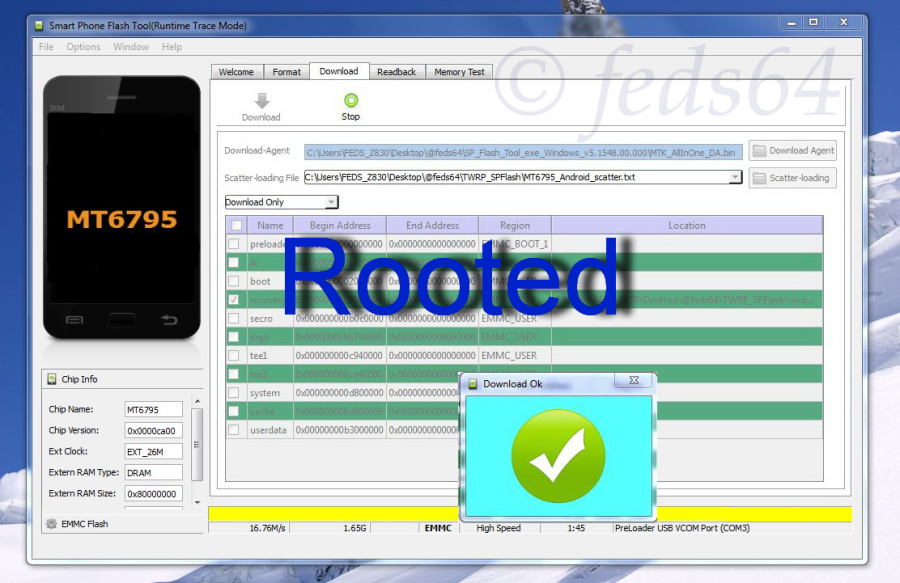
SP Flash Tool is very useful for fixing softbrick or bootloop cases especially for the MediaTek devices.Thus, you could flash Stock or Custom ROMs of your choice.

IMPORTANT:
Next, you need to install drivers in order to connect your device properly, just extract Driver_Auto_Installer_v1.1236.00.zip, and double-click "Install.bat", and it will automatically install the necessary drivers, and you need to allow permissions for these drivers to be installed.


Check your battery, you should have at least more than 50% and switch off your phone at the same time.
Unzipped, both SP_Flash_Tool_v5.1532.zip and hermes_global_images_V7.0.12.0.LHMMICI_20151104.0000.4_5.0_global_0e3156c914.tgz, and keep them handy.
Install SP Flash Tool, as shown below:-

Launch Flash_Tool.exe and click on the "Download" tab as shown below:-

Next click on the "Scatter loading" button and locate the scatter text from the unzipped ROM earlier, as shown below:-

Now click the "Download" button, followed by connecting your device (off state) to the PC/Laptop via USB Cable and immediately toggle Volume Up button momentarily, and your device will be detected accordingly and initiating the flashing process, as shown below:-

It will complete the flash process in a minute or so, and when it is complete and successful, you see the yellow full bar and a big check mark.

Now, you can switch on your device.
What you need:-
Download MediaTek USB VCOM drivers
Windows 10/Pro users: READ: Installing MTK VCOM driver on WINDOWS 10 (32 & 64 bits)
Download SP Flash Tool
Download the Stock Fastboot ROM below:-
Redmi Note 2 Latest Global Stable Version Fastboot File Download
NOTE: In this tutorial Hermes_global_images_V7.0.12.0.LHMMICI.tgz is flashed and serve as an illustration for any Latest Fastboot ROM.
Download MediaTek USB VCOM drivers
Windows 10/Pro users: READ: Installing MTK VCOM driver on WINDOWS 10 (32 & 64 bits)
Download SP Flash Tool
Download the Stock Fastboot ROM below:-
Redmi Note 2 Latest Global Stable Version Fastboot File Download
NOTE: In this tutorial Hermes_global_images_V7.0.12.0.LHMMICI.tgz is flashed and serve as an illustration for any Latest Fastboot ROM.
IMPORTANT:
Next, you need to install drivers in order to connect your device properly, just extract Driver_Auto_Installer_v1.1236.00.zip, and double-click "Install.bat", and it will automatically install the necessary drivers, and you need to allow permissions for these drivers to be installed.
Check your battery, you should have at least more than 50% and switch off your phone at the same time.
Unzipped, both SP_Flash_Tool_v5.1532.zip and hermes_global_images_V7.0.12.0.LHMMICI_20151104.0000.4_5.0_global_0e3156c914.tgz, and keep them handy.
Install SP Flash Tool, as shown below:-
Launch Flash_Tool.exe and click on the "Download" tab as shown below:-
Next click on the "Scatter loading" button and locate the scatter text from the unzipped ROM earlier, as shown below:-
Now click the "Download" button, followed by connecting your device (off state) to the PC/Laptop via USB Cable and immediately toggle Volume Up button momentarily, and your device will be detected accordingly and initiating the flashing process, as shown below:-
It will complete the flash process in a minute or so, and when it is complete and successful, you see the yellow full bar and a big check mark.
Now, you can switch on your device.